10 Best MCP Servers for Cybersecurity and Application Security in 2026
An editorial guide to security MCP integrations for AI-assisted development: repository findings, scanning, web testing, supply chain analysis, and cloud security.
Beyond ASPM
Proof-Driven AppSec for teams building with AI
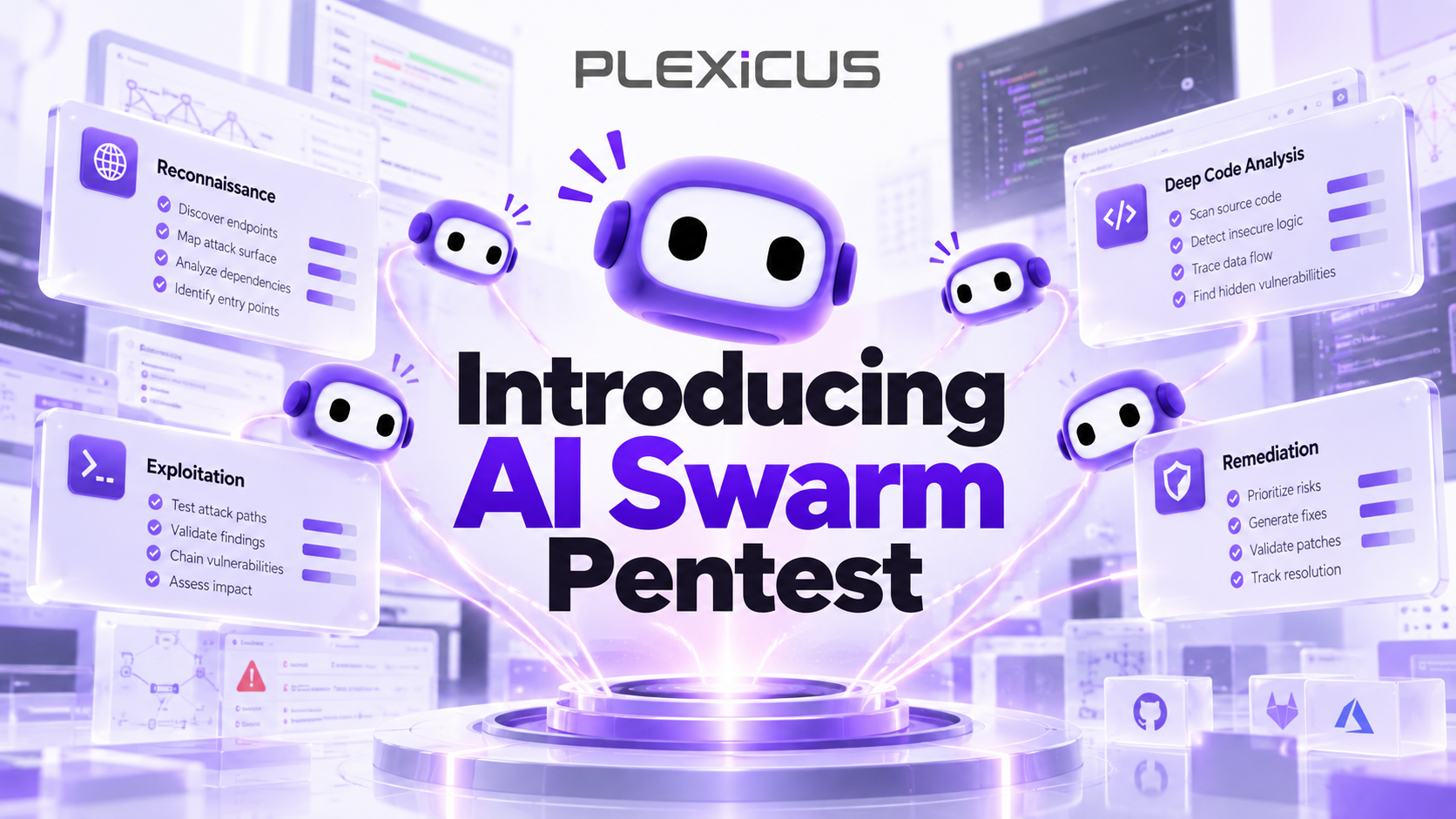
Plexicus uses AI Swarm Pentest to explore authorized application paths, validate what is exploitable, and give teams evidence they can use to prioritize remediation.
Explore AI Swarm PentestUpdated: October 2026 | Reading time: 12–15 minutes
AI coding assistants can generate entire applications in minutes. They can write authentication logic, integrate APIs, refactor complex codebases, and even deploy applications.
But writing code is only part of the development process.
What happens when the AI-generated code contains an SQL injection vulnerability? What if a dependency includes a malicious package? Or when an apparently harmless configuration exposes sensitive infrastructure?
An AI assistant can suggest that something might be insecure. That is not the same as running a security scanner, investigating a real finding, or validating an exploitable attack path.
This is where security-focused Model Context Protocol (MCP) servers become useful.
MCP allows AI assistants to connect with external security tools, giving them access to actual scanning capabilities, vulnerability findings, repository context, and remediation workflows.
Instead of asking an AI model to guess whether code is vulnerable, developers can connect it to security tools designed to analyze their applications.
In this guide, we explore 10 of the best MCP servers for cybersecurity and application security in 2026, including tools for static analysis, web penetration testing, software supply chain security, container scanning, and cloud security.
What Is an MCP Server in Cybersecurity?
The Model Context Protocol (MCP) is an open standard that allows AI applications to communicate with external tools and data sources.
An MCP server acts as a bridge between an AI assistant and a system that provides specific capabilities.
For cybersecurity, that system might be a vulnerability scanner, a source code analysis platform, a penetration testing toolkit, or a security findings database.
For example, without an MCP integration, a developer might ask:
“Is my authentication code secure?”
The AI model can inspect the code it sees, identify suspicious patterns, and suggest possible weaknesses. But it may lack access to the complete application, configuration, scan results, and runtime behavior.
With a security MCP server connected, the developer can ask:
“Scan this repository, show me critical vulnerabilities, and suggest fixes for the highest-priority findings.”
Depending on the server’s available tools, the AI assistant can invoke a security scanner, retrieve findings, examine vulnerability details, and help the developer plan remediation.
How MCP fits into an AppSec workflow
A typical workflow looks like this:
- A developer asks a security question inside an MCP-compatible AI assistant.
- The assistant selects an appropriate security tool exposed by the MCP server.
- The MCP server communicates with the underlying security platform or scanning engine.
- The platform performs the requested operation or retrieves existing findings.
- The assistant interprets the results and helps the developer determine what to do next.
- The developer reviews suggested changes and verifies the fix.
The important distinction: MCP does not detect vulnerabilities by itself. It provides a standardized way for AI assistants to access security capabilities. The accuracy and usefulness of the results depend on the connected security tool, the available context, and the testing method.
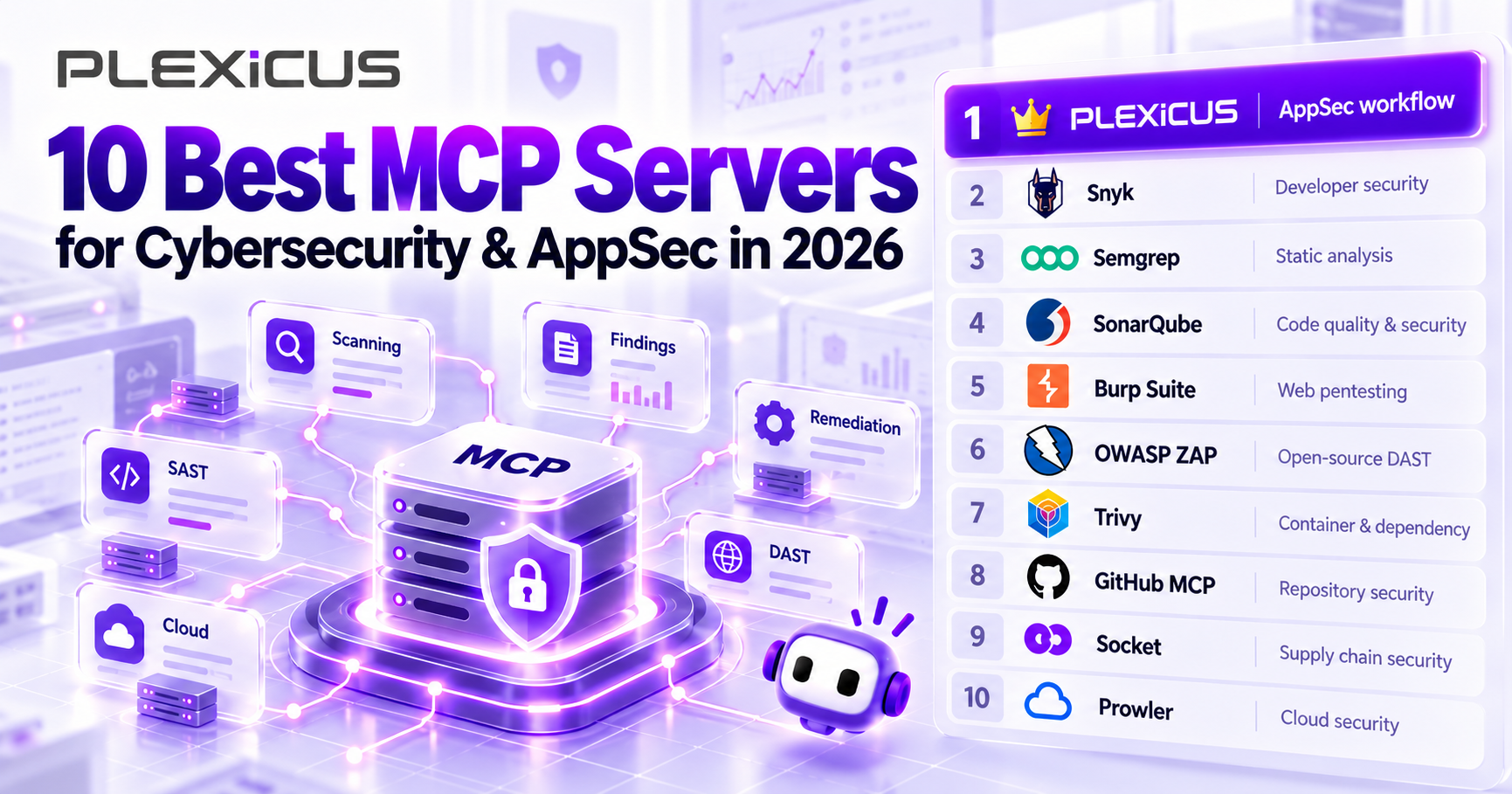
The 10 Best MCP Servers for Security in 2026
We selected these tools based on five criteria:
- Security relevance: Does the integration address meaningful security problems?
- MCP capabilities: Can an AI assistant perform useful operations through documented MCP tools?
- Developer workflow: Does it fit naturally into AI-assisted development or security operations?
- Documentation: Is there an official implementation or maintainable technical reference?
- Practical use cases: Does the server solve a specific, recurring security problem?
This is an editorial shortlist, not a controlled head-to-head benchmark. Each tool serves a different security function, and the ranking reflects its relevance to the application security workflows discussed here.
Disclosure: This guide is published by Plexicus, which is listed first. The selection reflects our editorial perspective and is not an independent performance benchmark.
1. Plexicus MCP — Best for AI-Powered Application Security Workflows
Best for: Application security findings, repository scanning, vulnerability investigation, and AI-assisted remediation.
Category: Application Security / Vulnerability Management / Remediation
Official MCP: Plexicus MCP
Modern development teams rarely struggle to generate more code. The harder question is how to understand and resolve the security problems introduced across a growing codebase.
Plexicus approaches this problem by connecting security findings and remediation workflows directly to AI coding assistants.
The Plexicus MCP server enables compatible AI development environments to communicate with the Plexicus security platform.
Rather than switching between an IDE, a scanning dashboard, and a separate remediation workflow, developers can investigate findings and request security actions from their coding environment.
Key capabilities
The Plexicus MCP server exposes 10 documented tools, including:
- Repository discovery: Identify the Plexicus repository associated with the current Git workspace.
- Security findings: Retrieve and filter vulnerabilities by severity, status, or CWE.
- Vulnerability investigation: Access finding details, including relevant file locations and code context.
- Scan orchestration: Request repository security scans and check their progress.
- AI-assisted remediation: Generate suggested fixes, retrieve diffs, and review remediation guidance.
- Security posture: Retrieve an account-wide summary of findings and high-risk repositories.
The integration supports MCP-compatible development environments such as Claude Code, Cursor, VS Code, and Windsurf.
Example workflow
Imagine a developer working on an application with authentication, payment processing, and user profile management.
The developer asks:
“Review the critical security findings in my current repository. Explain the highest-priority issue and suggest a fix.”
With Plexicus MCP configured, the assistant can identify the current repository, retrieve critical findings, inspect a selected vulnerability, and request remediation guidance.
A developer can then review the proposed changes, run relevant tests, and decide whether to apply the fix.
This creates a practical workflow between discovering a security issue and addressing it during development.
What makes Plexicus different?
The primary advantage is the connection between AI-assisted development and the broader Plexicus AppSec platform.
Plexicus also provides Deep Code Analysis, Remediation, and AI Swarm Pentest as part of its wider application security offering.
These capabilities address different aspects of application security, from understanding findings to investigating potentially exploitable attack paths.
An important distinction is that the currently documented Plexicus MCP integration exposes repository, findings, scan, remediation, and posture operations. It should not be confused with direct MCP access to every capability of an AI Swarm Pentest engagement.
Limitations
Plexicus MCP requires access to a configured Plexicus account and API credentials. API token availability may depend on the ongoing MCP rollout.
AI-generated remediation must still be reviewed and verified before being merged or deployed.
Who should use it?
Plexicus is a strong choice for development teams that want to integrate vulnerability management and remediation into their AI coding workflows without treating the language model itself as the security scanner.
Get started: Explore Plexicus MCP documentation
2. Snyk MCP — Best for Comprehensive Developer Security Scanning
Best for: Source code, open-source dependencies, containers, infrastructure as code, and secrets scanning.
Category: SAST / SCA / Container Security / IaC
Official MCP: Snyk Studio MCP
Snyk is an established developer security platform covering several important aspects of application security.
Its MCP integration brings scanning capabilities from the Snyk CLI into AI-powered development environments.
Through MCP, an AI assistant can request security scans and retrieve results without requiring the developer to manually switch to a separate scanning interface.
Key capabilities
Snyk documents several MCP security tools, including:
snyk_code_scanfor source code security analysis.snyk_sca_scanfor open-source dependency scanning.snyk_iac_scanfor infrastructure-as-code scanning.snyk_container_scanfor container security.snyk_secret_scanfor secret detection.snyk_sbom_scanfor software bill of materials analysis.
These capabilities make Snyk particularly useful for teams that want multiple categories of scanning accessible through one development workflow.
Example use case
A developer introduces a new npm dependency into a Node.js application.
They ask:
“Check this project’s dependencies for known vulnerabilities and identify packages that require attention.”
The AI assistant can invoke the relevant Snyk scan, retrieve its findings, and help the developer understand the reported risks.
Limitations
Snyk’s features depend on authentication, configuration, and available product entitlements.
Its scanning capabilities should not be confused with comprehensive runtime penetration testing. A secure dependency tree does not guarantee that an application’s business logic is secure.
Why choose Snyk? It offers broad developer-security scanning coverage through a documented MCP interface.
3. Semgrep MCP — Best for Static Application Security Testing
Best for: Detecting insecure coding patterns and running rule-based security analysis.
Category: SAST / Code Analysis
Official MCP: Semgrep MCP Documentation
Semgrep is a static analysis tool designed to identify security vulnerabilities, bugs, and problematic coding patterns.
Its rule-based approach gives developers a repeatable way to identify specific issues across codebases.
With Semgrep MCP, AI coding assistants can invoke Semgrep capabilities as part of their development workflow.
Key capabilities
- Run static analysis on source code.
- Identify security findings based on Semgrep rules.
- Use security analysis results to guide code reviews.
- Assist with developing and understanding custom detection rules.
- Integrate scanning into compatible AI coding environments.
For example, a developer might ask:
“Scan the authentication module for insecure coding patterns and explain the findings.”
Instead of generating a purely speculative assessment, the assistant can use Semgrep’s analysis results as evidence.
An important update for 2026
Semgrep’s MCP implementation is now part of the main Semgrep CLI.
The current entry point is semgrep mcp. Some older tutorials reference the separate semgrep-mcp package and archived repository, which should not be treated as the primary installation instructions.
Limitations
Semgrep is particularly effective for issues covered by its detection rules, but static analysis alone cannot establish every vulnerability’s runtime exploitability.
It is best used alongside other testing approaches when runtime behavior and attack-path validation matter.
Why choose Semgrep? It is well suited for developers who want repeatable, rule-based security analysis integrated with AI-assisted coding.
4. SonarQube MCP — Best for Code Quality and Security Governance
Best for: Code quality analysis, security hotspots, technical debt, and quality gates.
Category: Code Quality / Static Analysis / Security Governance
Official MCP: SonarQube MCP Server
SonarQube has long focused on improving software quality through static analysis, issue tracking, and development standards.
Its MCP server makes SonarQube Cloud and SonarQube Server capabilities accessible to AI assistants.
This is useful for teams that want AI-assisted workflows to respect established code quality and security policies.
Key capabilities
- Search and investigate code analysis issues.
- Review security hotspots.
- Retrieve quality gate status.
- Access relevant code quality rules.
- Examine project metrics and coverage information.
- Analyze dependency risks where supported.
A developer could ask:
“Show me the security hotspots in this project and explain which ones require manual review.”
The assistant can retrieve the relevant SonarQube information and help organize the review.
Why it matters
Security is not only about identifying vulnerabilities after code is written. Development teams also need ways to enforce code standards, maintain review processes, and prevent problematic changes from reaching production.
SonarQube MCP can make those processes easier to access within AI-assisted development.
Limitations
Some capabilities depend on the SonarQube edition, configuration, and organizational entitlements.
SonarQube also does not replace dynamic security testing or an authorized penetration test.
Why choose SonarQube? It is particularly useful for organizations that already rely on SonarQube quality gates and security governance.
5. Burp Suite MCP — Best for Professional Web Application Pentesting
Best for: HTTP security testing, web traffic inspection, and interactive penetration testing.
Category: Web Application Security / Penetration Testing
Official MCP: Burp Suite MCP Server Extension
Burp Suite is widely used by security professionals for analyzing web applications and testing vulnerabilities.
PortSwigger’s MCP Server Extension allows compatible AI clients to interact with Burp Suite programmatically.
Unlike a tool focused only on source code, Burp can help examine the HTTP behavior of an application.
Key capabilities
The official extension supports operations such as:
- Sending HTTP requests through Burp.
- Accessing and filtering proxy history.
- Interacting with Burp Repeater and other testing tools.
- Inspecting HTTP responses.
- Using encoding utilities.
- Interacting with supported Burp Collaborator capabilities, depending on the product edition.
Example use case
A security engineer is testing an application in an authorized staging environment.
They ask:
“Inspect the recorded login requests and identify authentication-related behavior that should be investigated.”
With the appropriate permissions and access, the assistant can retrieve relevant HTTP information from Burp and help the engineer review it.
Limitations
Burp Suite MCP requires the Burp application and its MCP extension to be configured.
Some capabilities depend on the Burp edition.
More importantly, giving an AI assistant access to HTTP testing tools introduces operational risk. Requests should be restricted to authorized targets, and potentially disruptive actions should require explicit approval.
Why choose Burp Suite? It is particularly useful for security professionals who want AI assistance while conducting hands-on web application testing.
6. OWASP ZAP MCP — Best for Open-Source Dynamic Application Security Testing
Best for: Web security scanning, dynamic testing, and security automation experiments.
Category: DAST / Web Security Testing
Official MCP: OWASP ZAP MCP Integration
OWASP ZAP is an open-source web application security testing tool.
Its official MCP Integration Add-on enables AI assistants and other MCP clients to interact with ZAP through an HTTP-based interface.
This makes ZAP particularly interesting for developers exploring automated security testing with AI.
Key capabilities
- Invoke supported ZAP operations through MCP tools.
- Retrieve security alerts and site information.
- Start supported scanning and spidering workflows.
- Access reusable security testing prompts.
- Import external MCP servers for supported endpoint inspection and testing.
The last capability is especially interesting: ZAP can inspect MCP server traffic itself, enabling security testers to examine certain MCP interactions as potential testing targets.
Example use case
A developer deploys an application to an isolated staging environment.
They ask:
“Run a baseline security review of the authorized staging application and summarize the reported issues.”
The assistant can interact with ZAP’s available MCP tools to support the testing workflow.
Limitations
Dynamic scanning can generate significant traffic and sometimes affect application state.
ZAP explicitly warns that its MCP server must not be exposed to external networks. It is designed for trusted local access, and exposing it publicly could allow unauthorized control over scanning operations and sensitive traffic data.
Why choose OWASP ZAP? It offers an open-source route to integrating dynamic application security testing with MCP-enabled assistants.
7. Trivy MCP — Best for Container and Dependency Security
Best for: Container image scanning, project vulnerability checks, and security misconfiguration detection.
Category: Container Security / Vulnerability Scanning / DevSecOps
Official MCP: Trivy MCP Server Plugin
Trivy, developed by Aqua Security, is a popular open-source vulnerability and misconfiguration scanner.
Its official MCP plugin allows AI assistants to invoke Trivy scanning capabilities through natural-language workflows.
Key capabilities
- Scan local project filesystems.
- Scan container images.
- Analyze remote repositories.
- Report vulnerabilities and supported misconfigurations.
- Integrate with MCP-compatible IDEs and AI assistants.
Example use case
A developer has prepared a Docker image for deployment.
They ask:
“Scan this container image and identify high-severity vulnerabilities that should be reviewed before release.”
The assistant can invoke Trivy and use the scan output to explain relevant findings.
Getting started
Trivy provides an official MCP plugin installation command:
trivy plugin install mcp
After installation, the server can be started with:
trivy mcp
Limitations
Trivy is useful for identifying vulnerable components and configuration issues, but it is not a replacement for testing application business logic or validating complex web exploitation paths.
Why choose Trivy? It is a strong fit for development teams working with containers, dependencies, and cloud-native application delivery.
8. GitHub MCP Server — Best for Repository Security Operations
Best for: GitHub security alerts, dependency alerts, secret protection, and repository workflows.
Category: Repository Security / DevSecOps
Official MCP: GitHub MCP Server
GitHub provides an official MCP server that gives AI assistants structured access to GitHub functionality.
Although it is not exclusively a cybersecurity tool, its security-related toolsets make it valuable for developers and security teams.
Key capabilities
Supported security toolsets include:
code_securityfor code scanning information.secret_protectionfor secret scanning capabilities.dependabotfor dependency alerts.security_advisoriesfor security advisory information.
A developer could ask:
“Show me the high-severity code scanning alerts in this repository and identify which ones are still open.”
The assistant can retrieve relevant GitHub security information if the appropriate toolsets and permissions are enabled.
GitHub’s remote MCP service also provides proactive secret scanning capabilities in supported configurations. This feature requires the remote server and is not available through the local server.
Limitations
Many GitHub security MCP operations retrieve existing findings rather than perform independent penetration testing.
Security capabilities also depend on repository permissions, configured GitHub features, and which toolsets are enabled.
Why choose GitHub MCP? It provides convenient access to the security information already associated with development repositories and pull-request workflows.
9. Socket MCP — Best for Software Supply Chain Security
Best for: Malicious package detection, dependency risk evaluation, and supply chain security.
Category: Software Composition Analysis / Supply Chain Security
Official MCP: Socket MCP Server
Open-source dependencies are essential to modern application development.
They also introduce risks that extend beyond known CVEs.
A package could be malicious, impersonate another package, contain suspicious behavior, or be maintained in ways that increase supply chain risk.
Socket focuses on analyzing these types of software dependency threats.
Its MCP server makes relevant Socket information available to AI assistants.
Key capabilities
- Retrieve security information about packages.
- Evaluate dependency risk and package health.
- Inspect organization-level security alerts.
- Access threat feed information.
- Investigate suspicious package activity and supply chain risks.
Example use case
A developer is evaluating a third-party npm package.
They ask:
“Evaluate the security and maintenance risks associated with this package before I add it to the project.”
The assistant can use Socket’s available package analysis capabilities to retrieve supporting information.
Limitations
Socket specializes in software supply chain security.
It is not designed to replace application source-code analysis, web application pentesting, or runtime vulnerability testing.
Some organization-level features require API authentication.
Why choose Socket? It is useful when the primary concern is the security and trustworthiness of third-party dependencies.
10. Prowler MCP — Best for Cloud Security and Compliance
Best for: Cloud security posture, configuration findings, security checks, and compliance workflows.
Category: Cloud Security / CSPM / Compliance
Official MCP: Prowler MCP Documentation
Securing application code is only part of securing an application.
Cloud infrastructure, identity permissions, storage configurations, and exposed services can also create serious security risks.
Prowler is an open-source cloud security platform that helps organizations evaluate security posture and compliance.
Its MCP integration makes Prowler capabilities and knowledge resources accessible to AI assistants.
Key capabilities
The Prowler MCP architecture includes three main components:
- Prowler: Access platform functionality and cloud security information.
- Prowler Hub: Retrieve information from the security checks catalog.
- Prowler Documentation: Search official documentation and security guidance.
Example use case
A cloud security engineer asks:
“Review our available cloud security findings and identify high-priority configuration problems.”
With access to an appropriately configured Prowler environment, the assistant can help retrieve and interpret the relevant security information.
Limitations
Prowler primarily focuses on infrastructure security and compliance rather than application source-code testing.
It should complement application security tools rather than replace them.
Why choose Prowler? It is a useful MCP integration for teams that need visibility into the infrastructure supporting their applications.
Comparison: The 10 Best Security MCP Servers
| MCP Server | Primary Focus | Best Use Case | Official MCP |
|---|---|---|---|
| Plexicus | AppSec findings and remediation | Repository security reviews and fixing findings | Explore |
| Snyk | Developer security scanning | Code, dependency, IaC, and container scans | GitHub |
| Semgrep | Static code analysis | Detecting insecure code patterns | Docs |
| SonarQube | Code quality and security | Security hotspots and quality gates | GitHub |
| Burp Suite | Web penetration testing | HTTP traffic analysis and testing | GitHub |
| OWASP ZAP | Dynamic security testing | Open-source web security testing | Docs |
| Trivy | Containers and dependencies | Container image and vulnerability scanning | GitHub |
| GitHub MCP | Repository security | Security alert investigation | GitHub |
| Socket | Software supply chain | Dependency and malicious package analysis | GitHub |
| Prowler | Cloud security | Cloud posture and compliance checks | Docs |
How to Choose the Right Security MCP Server
There is no single MCP server that covers every aspect of cybersecurity.
The best choice depends on the kind of security problem a team is trying to solve.
For developers building applications with AI
Start with a tool that can provide actual application security findings and help investigate fixes.
Plexicus is relevant when the goal is to bring repository-level security information and remediation into the IDE.
Semgrep and SonarQube can complement this workflow through static analysis and established code-quality checks.
For security engineers conducting web application tests
Burp Suite MCP and OWASP ZAP MCP are worth considering.
Both can connect AI assistants to tools that analyze web application behavior, but they require appropriate authorization, configuration, and human oversight.
For teams securing dependencies and containers
Snyk, Trivy, and Socket address related but different security problems.
Snyk covers multiple developer security domains, Trivy is especially useful for container and component scanning, and Socket focuses on software supply chain threats.
For cloud security teams
Prowler provides access to cloud security checks and posture information.
It can be combined with application security tools to evaluate both the application and the environment in which it runs.
For teams already working inside GitHub
GitHub MCP can be a practical starting point for investigating security alerts and repository information without leaving an AI-assisted workflow.
Are Security MCP Servers Safe to Use?
Connecting security tools to AI assistants introduces additional security considerations.
A traditional scanner operates according to explicit configuration and predefined workflows.
An AI agent may make decisions about which tools to invoke based on user instructions, retrieved data, and the responses returned by connected systems.
That flexibility is useful, but it also creates risks.
For example, an attacker might place malicious instructions in a repository file, issue description, or tool response. If the AI assistant treats that content as an instruction rather than untrusted data, it could attempt an unintended action.
There are also operational risks when an AI agent can launch scans, send HTTP requests, or access sensitive repository information.
Security practices for MCP deployments
1. Apply least-privilege access
Give MCP integrations only the permissions necessary for their intended tasks.
A security review assistant should not automatically receive permission to modify production systems.
2. Use read-only access where possible
Begin with tools that retrieve information and generate recommendations.
Enable write operations only when there is a clear operational requirement.
3. Restrict testing scope
Penetration testing tools should operate only against explicitly authorized applications and environments.
4. Protect secrets and credentials
Use supported secure credential storage or environment-based authentication. Avoid hardcoding API keys in repositories or sharing them in AI conversations.
5. Require approval for consequential actions
Review proposed code changes, disruptive security scans, repository modifications, and any action that could affect production systems.
6. Verify security findings independently
AI-generated explanations can be useful, but they can also be incorrect.
A suggested vulnerability should be supported by appropriate evidence, and a proposed fix should be tested before deployment.
An MCP integration makes security capabilities more accessible. It does not eliminate the need for access controls, secure configuration, or human review.
MCP Security Scanning vs. AI Pentesting: What’s the Difference?
The terms AI security scanning, MCP security tools, and AI pentesting are sometimes used interchangeably.
They describe different things.
MCP is an integration protocol.
Security scanning refers to processes that analyze applications, code, dependencies, or infrastructure for security issues.
AI-assisted security testing uses AI to support parts of those processes, such as selecting tools, interpreting findings, or investigating potential weaknesses.
AI pentesting goes further when it involves exploring application behavior, evaluating possible attack paths, and seeking evidence that a vulnerability is actually exploitable within an authorized environment.
Consider a web application with an exposed API endpoint.
A static scanner might detect a risky code pattern.
A dynamic scanner might identify unexpected HTTP behavior.
An AI assistant connected through MCP could retrieve those findings and help investigate them.
An authorized penetration test might then determine whether that behavior forms part of a realistic, exploitable attack path, under defined rules of engagement.
These approaches complement one another, but they are not equivalent.
This distinction matters because a vulnerability report is not necessarily proof that an attacker can exploit the issue.
Where Plexicus AI Swarm Pentest fits
Plexicus AI Swarm Pentest is designed around authorized attack-path validation with supporting evidence, impact context, and a remediation path teams can review.
It is a separate offering from the documented Plexicus MCP server.
The MCP server provides a way for developers to interact with Plexicus repository security data and supported scanning and remediation operations inside their IDE.
The AI Swarm Pentest offering focuses on validating relevant attack paths in an agreed scope.
Together, they illustrate two distinct security needs: making findings actionable during development and establishing evidence about security exposure.
Frequently Asked Questions
What is the best MCP server for application security?
The best option depends on the required security capability.
Plexicus is a strong choice for integrating application security findings, repository scans, and remediation workflows into AI coding environments. Semgrep specializes in static code analysis, while Burp Suite and OWASP ZAP are more suitable for hands-on web application security testing.
Can MCP servers find security vulnerabilities?
MCP servers can expose vulnerability detection capabilities from connected security tools.
MCP itself is not a vulnerability scanner. Whether vulnerabilities are detected depends on the underlying tool, its configuration, and the scope of analysis.
Can I use security MCP servers with Claude or Cursor?
Many security MCP implementations support Claude Code, Cursor, and other MCP-compatible development environments.
Compatibility, installation requirements, and available features vary between servers.
Are there free or open-source security MCP servers?
Yes. Several tools in this list have open-source MCP implementations, including Semgrep, OWASP ZAP, Trivy, GitHub MCP Server, and Prowler.
However, an open-source MCP implementation does not necessarily mean that every capability of the connected security platform is available for free.
Can MCP replace penetration testing?
No.
MCP makes security tools accessible to AI assistants, but it does not guarantee comprehensive security coverage or verified exploitability.
Static scanning, dynamic testing, code review, and authorized penetration testing address different security questions.
Can AI automatically fix vulnerabilities through MCP?
Some MCP integrations expose remediation suggestions and workflow actions that can help AI assistants propose code changes.
For example, Plexicus MCP can request remediation generation and retrieve proposed diffs.
Developers should still review those changes, run tests, and verify that the vulnerability has been addressed without introducing new issues.
Final Thoughts: Security Tools Need Evidence, Not Just AI-Generated Answers
AI-assisted development is changing how software is written.
Security workflows need to keep up.
MCP servers offer an important improvement by connecting AI assistants to actual security tools, findings, and operational workflows.
But the most useful security integration is not necessarily the one that exposes the largest number of tools.
It is the one that helps developers answer meaningful questions:
- What is vulnerable?
- Where is the affected code?
- What evidence supports the finding?
- How serious is the actual risk?
- What should be fixed first?
- How can the team verify that the fix works?
Different tools in this list address different parts of that process.
Snyk, Semgrep, SonarQube, and Trivy can support security scanning and analysis. Burp Suite and OWASP ZAP enable web application testing workflows. Socket focuses on software supply chain threats, while Prowler covers cloud security posture.
Plexicus connects application security findings and remediation to the environment where developers are already working.
The larger opportunity is to make security a continuous part of software development, rather than a separate activity after code is complete.
Bring Application Security Into Your AI Development Workflow
AI coding assistants help developers build faster. They also need access to reliable security information.
Plexicus MCP connects your AI development environment to repository findings, security scans, and remediation workflows.
Investigate vulnerabilities, request scans, and review suggested fixes without leaving your IDE.
Need more than a scanner result?
Discover how Plexicus AI Swarm Pentest helps teams investigate authorized attack paths and receive evidence-backed findings with a clear remediation path.
Disclaimer: This list is based on publicly available product documentation and official MCP implementations reviewed in October 2026. It is an editorial selection, not an independent performance benchmark. Features and availability may change, and some capabilities require separate products, subscriptions, or permissions.